
Published on Thursday, June 12, 2025
Expo + NativeWind: Complete Tailwind CSS Setup for React Native
Posted by
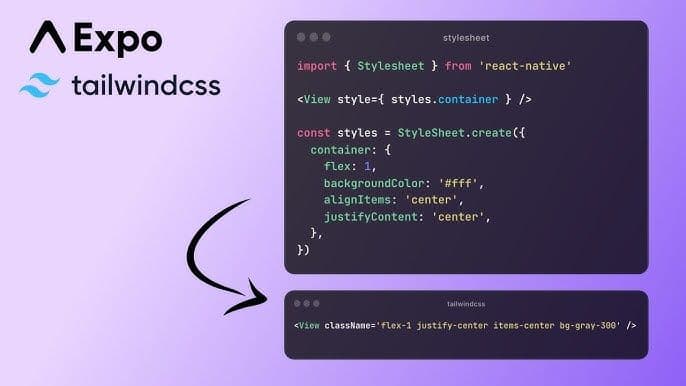
Introduction
NativeWind is a powerful utility that brings the magic of Tailwind CSS to React Native. While it works with both Expo and framework-less React Native projects, Expo offers a more seamless and integrated setup experience.
Quick Start (Optional)
You can skip the manual setup entirely using this one-liner:
npx rn-new@latest --nativewind
This initializes a new Expo project pre-configured with NativeWind and Tailwind CSS.
Manual Setup with Expo
Install Dependencies
Install NativeWind, TailwindCSS, and the required peer dependencies:
npm install nativewind react-native-reanimated@~3.17.4 react-native-safe-area-context@5.4.0
npm install -D tailwindcss@^3.4.17 prettier-plugin-tailwindcss@^0.5.11
Setup Tailwind Configuration
Generate a Tailwind config file:
npx tailwindcss init
Edit tailwind.config.js to include paths and enable NativeWind:
/** @type {import('tailwindcss').Config} */
module.exports = {
  content: [
    "./App.tsx",
    "./src/**/*.{js,jsx,ts,tsx}",
    "./app/**/*.{js,jsx,ts,tsx}",
    "./components/**/*.{js,jsx,ts,tsx}"
	],
  presets: [require("nativewind/preset")],
  theme: {
    extend: {},
  },
  plugins: [],
}
Create a Global CSS File
Create globals.css in the project root and add:
@tailwind base;
@tailwind components;
@tailwind utilities;
Babel Configuration
Edit babel.config.js to include NativeWind preset:
module.exports = function (api) {
  api.cache(true);
  return {
    presets: [
      ["babel-preset-expo", { jsxImportSource: "nativewind" }],
      "nativewind/babel",
    ],
  };
};
Metro Configuration
Create or update metro.config.js:
const { getDefaultConfig } = require("expo/metro-config");
const { withNativeWind } = require("nativewind/metro");

const config = getDefaultConfig(__dirname);

// Note: Adjust input css file path according to your folder stracture
module.exports = withNativeWind(config, { input: './global.css' });
Import CSS into Your App
Update your App.js or app/_layout.tsx:
import "./global.css";

export default function RootLayout() {
  return (
    /* Your App */
  );
}
Configure Expo Web Bundler
Update app.json to use Metro for web:
{
  "expo": {
    "web": {
      "bundler": "metro"
    }
  }
}
Optional: Enable TypeScript Types
Create a file named nativewind-env.d.ts:
/// <reference types="nativewind/types" />
Avoid naming the file:
nativewind.d.tsapp.d.tsif you have an/appdirectory- A name that matches a folder in
node_moduleslikereact.d.ts
Using NativeWind Outside Expo?
If you're not using Expo but still want to style your app using Tailwind, you have two options:
- Use
@expo/metro-configmanually. - Or use the Tailwind CLI to generate a CSS file.
NativeWind supports all major platforms including
Expo, bareReact Native, and evenNext.js-basedhybrid apps.
Conclusion
With this setup, you can use Tailwind-style utility classes in your React Native Expo app without writing custom styles for every component. NativeWind simplifies styling, improves developer speed, and keeps your design system consistent across platforms.